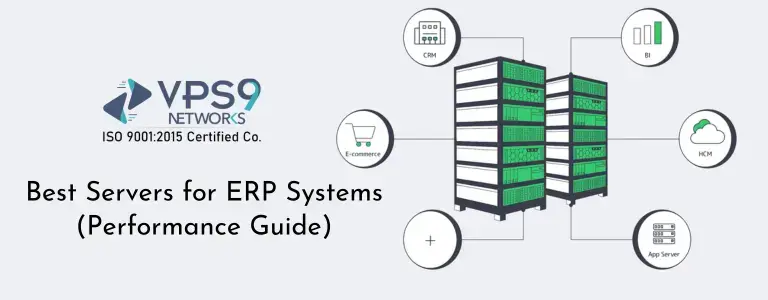
Running an ERP system on the wrong server can quietly slow down an entire business.
At first, the issues may look small. Reports take longer to load. Inventory updates lag behind. Users complain that the system feels slow during peak hours. Finance teams wait too long for dashboards, while operations teams deal with delays in order processing. Over time, those small performance issues turn into lost productivity, poor user experience, and unnecessary frustration across departments.
That is why choosing the best servers for ERP systems is not just a technical task. It is a business decision.
This performance guide explains how to choose the right server for ERP software, what hardware matters most, when to choose dedicated infrastructure, when cloud makes sense, and what mistakes to avoid before deploying an ERP environment.
Why ERP Systems Need Strong Server Performance
ERP applications are different from simple websites or lightweight business tools. A normal website may mainly serve content to visitors. An ERP system, on the other hand, is constantly reading, writing, calculating, syncing, and generating data.
When employees create invoices, update stock, process payroll, run reports, or check purchase orders, the ERP system is doing multiple database operations in real time. If dozens or hundreds of users are active at once, the load increases quickly.
This is why ERP server hosting must be planned carefully. ERP performance depends on much more than just disk space or basic server uptime. It depends on how well the entire system handles:
- Concurrent users
- Database queries
- Application processing
- Reporting workloads
- Storage input/output performance
- Backup and recovery operations
- Internal network responsiveness
What Makes a Good Server for ERP Software
The best server for ERP software should deliver consistency, not just raw specs on paper. A well-built ERP environment should stay responsive during normal operations, monthly reporting, bulk imports, and busy business hours.
A strong ERP hosting setup usually includes the right balance of CPU power, RAM, fast storage, database optimization, and room for growth. Here are the key components that matter most.
1. CPU Performance
ERP applications often depend heavily on processor performance, especially when the workload includes reporting, transaction handling, automation tasks, and database queries. If the CPU is weak, even simple tasks may feel delayed.
For ERP environments, modern multi-core processors are usually the safest choice. What matters is not only the number of cores but also the core quality and sustained performance. Some ERP systems benefit from higher clock speeds, while larger installations may gain more from additional cores.
2. RAM Capacity
Memory is one of the most important parts of any ERP hosting server. ERP platforms often keep active processes, application data, caching layers, and database operations in memory. If RAM runs short, the server starts swapping to disk, and performance drops hard.
For small deployments, moderate RAM may work in the beginning. But growing ERP environments need enough memory to support both the application and the database without bottlenecks.
Under-sizing RAM is one of the most common reasons ERP systems feel slow even when CPU usage looks normal.3. Storage Speed
ERP systems are heavily data-driven, so storage performance matters a lot. A slow disk can impact report generation, transactions, search results, exports, imports, and backups.
NVMe SSD storage is usually the better choice for ERP workloads because it offers much faster read and write performance compared to traditional HDD storage.Since ERP systems frequently access structured business data, low-latency storage can make a visible difference in how fast the platform responds. This is especially important if your ERP system depends on a busy database server.
4. Network Reliability
An ERP system is often used across departments, branches, warehouses, or remote teams. If the server network is unstable, users experience timeouts, sync issues, or slow screen loads.
A reliable network connection is essential for any ERP server hosting environment, especially for cloud-based access, API integrations, supplier portals, and remote workforce usage.
5. Database Efficiency
In many ERP installations, the database is the real heart of the platform. Even if the application layer is well configured, database bottlenecks can still slow everything down.
That is why an ERP database server should have enough CPU, RAM, and fast storage.
If your ERP system handles inventory, sales, finance, or manufacturing data, the database server must be sized properly from day one.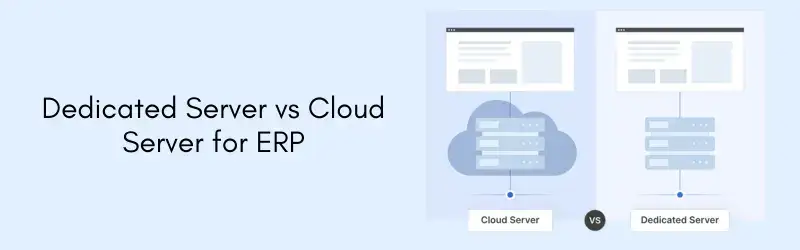
Dedicated Server vs Cloud Server for ERP
One of the biggest questions businesses ask is whether to use a dedicated server for ERP or a cloud server for ERP. The answer depends on workload, budget, flexibility needs, and future growth plans.
Dedicated Server for ERP
A dedicated server gives the ERP environment its own full hardware resources. This means CPU, RAM, and storage are not shared with other customers. For performance-sensitive ERP workloads, dedicated infrastructure often gives better consistency.
A dedicated server for ERP is usually a strong choice when:
- You have many active users
- Your ERP database is large
- You run custom modules or integrations
- You need predictable performance
- You handle sensitive business data
- You want deeper control over server configuration
Dedicated environments are often preferred for medium to large businesses where ERP is central to daily operations.
Cloud Server for ERP
A cloud server for ERP can work well when flexibility and scalability are the top priorities. Cloud environments are useful for businesses that expect changing workloads, temporary project scaling, or remote deployment needs.
Cloud ERP hosting is often a good fit when:
- The business is growing quickly
- Remote access is important
- Workloads change seasonally
- You need easier resource scaling
- You want faster deployment without physical hardware planning
However, not every cloud environment is equal. Poorly sized cloud instances or low-tier storage can still cause ERP performance issues. Cloud can be excellent, but only if the resources are planned properly.
Is VPS Hosting Enough for ERP?
This depends on the ERP size and usage pattern. A VPS can sometimes work for a small ERP installation with limited users, light workflows, and modest database activity. For example, a small business with only a few users may start on a strong VPS while testing or running a smaller ERP stack. But once the ERP becomes a core business platform, a VPS may start showing limitations. Shared-node environments, storage bottlenecks, and resource contention can affect consistency.
For serious production workloads, businesses usually move toward a stronger ERP hosting server, such as a high-performance cloud instance or a dedicated server.
How to Size a Server for ERP Systems
Choosing the best servers for ERP systems is not only about picking the most expensive machine. The goal is to match the infrastructure to the actual workload.
Small Business ERP
A small business ERP setup may include accounting, invoicing, stock management, CRM basics, and simple reporting. In such cases, the server requirements are lower, but stability still matters.
A small ERP deployment may run well with:
- Modern multi-core CPU
- Sufficient RAM for app and database
- Fast SSD or NVMe storage
- Daily backups
- Secure remote access
Medium Business ERP
A medium-sized business often has more simultaneous users, more transactions, more branches, more reporting, and stronger database activity. This is where server planning becomes more critical.
A medium ERP environment benefits from:
- Higher core count CPU
- Larger memory allocation
- Dedicated or premium cloud resources
- Separate database optimization
- Backup automation
- Better monitoring and alerting
Large ERP Deployment
Large ERP systems support multiple departments, locations, integrations, automated jobs, reporting engines, and a very active database. Here, performance planning becomes a strategic requirement.
Larger ERP deployments usually need:
- Enterprise-grade CPU resources
- Large RAM availability
- High-speed NVMe storage
- Database tuning
- Load planning for peak activity
- Strong redundancy and backup policies
- Security controls and access logging
Important Server Features for ERP Hosting
When evaluating ERP server hosting, there are a few features that should not be ignored.
Fast Backup and Recovery
ERP data is business-critical. If something goes wrong, the system must be restored quickly and correctly. A good ERP hosting setup should include automated backups, snapshot support where appropriate, and a clear restore process.
Backups are not only for disaster recovery. They also help during updates, migrations, and troubleshooting.
High Uptime
ERP downtime affects operations, billing, stock control, and reporting. That is why uptime matters more for ERP than for many other applications. A good ERP server should be hosted on reliable infrastructure with stable power, networking, and hardware performance.
Security
ERP systems often store financial data, employee records, procurement details, customer data, and internal business information. Security is essential.
A reliable server for ERP software should support:
- Firewall protection
- Secure access rules
- OS hardening
- Regular updates
- Access logging
- Backup security
- SSL/TLS encryption where needed
Scalability
ERP workloads change over time. More staff join. More branches come online. More products are added. Reports become more complex. Integrations increase. The server you choose today should not become a major limitation too soon.
That is why scalable ERP hosting server planning matters. Even if your current workload is moderate, it is smart to leave room for growth.
Common Mistakes Businesses Make with ERP Servers
Many ERP performance problems do not come from bad software. They come from poor infrastructure decisions. Here are some of the most common mistakes.
Choosing Based Only on Price
A cheap server may look attractive at the start, but poor performance can cost far more in lost time and employee frustration. ERP should be judged based on value, not just the lowest monthly cost.
Ignoring Storage Performance
Many businesses focus on CPU and RAM but forget that the database depends heavily on storage speed. Slow disks hurt ERP performance more than many people expect.
Underestimating Database Load
The ERP application may look lightweight until reports, transactions, imports, and sync processes start hitting the database all day. Database load must always be considered early.
No Growth Planning
Some companies choose a server only for the current user count. A few months later, they add staff, branches, or new modules and the server becomes too small.
Weak Backup Strategy
A server without strong backups is risky for any application, but especially for ERP. Recovery planning should be treated as essential, not optional.
How to Know Your ERP Server Is Underpowered
Sometimes businesses are already using the wrong infrastructure and do not realize it clearly. Here are signs that your current ERP hosting server may be too weak:
- Slow login or dashboard loading
- Delays while saving transactions
- Reports taking too long to generate
- Performance drops during busy hours
- Frequent timeout issues
- Heavy lag during imports or exports
- Database-related slowdowns
- Complaints from multiple users at once
Final Thoughts
Choosing the best servers for ERP systems is about keeping your business fast, stable, and reliable. Since ERP software handles critical daily operations, the server behind it must be sized for real workloads, not just based on price.
For small setups, a good cloud or VPS server may be enough. For larger and more demanding environments, a dedicated server for ERP usually delivers better consistency and performance.
A well-planned ERP server helps your system run smoothly, supports growth, and keeps business operations efficient.