Online gaming has gone from being a fun way to pass the time to being a very competitive, community-driven environment. Performance and dependability are important whether you’re hosting a private world for friends, building a multiplayer community, or running a commercial gaming server. Lag, downtime, or unstable connections can ruin the online gaming experience right away.
That’s when picking the right server location becomes very important. The Netherlands has become one of the most popular places to host gaming servers because it has great connectivity, low latency across Europe, and strong infrastructure.
This guide will show you step by step how to set up a gaming server in the Netherlands. You can learn everything you need to know about setting up a powerful and smooth gaming experience, from picking the right server environment to installing and optimizing your game server.

Why the Netherlands Is Ideal for Gaming Servers
Before diving into the setup process, it’s important to understand why so many developers and gaming communities choose the Netherlands.
Strategic European Location
The Netherlands is in the middle of Europe’s internet backbone. This central location makes it possible to connect quickly to major areas like Germany, France, the UK, and Scandinavia. This means that response times are faster and gameplay is smoother for multiplayer games.
High-Speed Network Infrastructure
The Netherlands is home to some of the world’s most advanced internet infrastructure, including major internet exchange points like AMS-IX. With high bandwidth availability, low packet loss, and robust fibre connectivity, gaming servers hosted here benefit from stable and ultra-fast data transmission, delivering a seamless multiplayer experience.
Reliable Data Centers
The country is known for its Tier III and Tier IV data centers, which promise high uptime. This level of reliability makes sure that your gaming server is always available and doesn’t go down unexpectedly.
Strong Data Protection Standards
The Netherlands has strict laws about privacy and data protection, so it’s a safe place to host apps that involve user data and interactions.
Cost-Effective Performance
Hosting in the Netherlands strikes a good balance between performance and cost compared to other parts of Europe. This makes it great for both small and large gaming setups.
Understanding Gaming Server Requirements
Before setting up your server, you need to understand what resources are required. The performance of your Gaming Server in the Netherlands depends heavily on the hardware and configuration you choose.
CPU Power
Games that involve real-time interactions require strong CPU performance. Multiplayer environments, physics calculations, and AI behavior all depend on processing power.
Memory (RAM)
RAM is crucial for handling multiple players simultaneously. Games like Minecraft, Rust, or ARK can consume significant memory depending on the number of active users and plugins.
Storage Type
Using SSD or NVMe storage significantly improves loading times and reduces lag. Traditional HDDs can create bottlenecks, especially in high-performance gaming environments.
Bandwidth and Network Speed
High bandwidth ensures smooth data transfer between players and the server. For public gaming servers, unmetered bandwidth or high traffic limits are recommended.

Choosing the Right Server Environment
There are different hosting options available for gaming servers, but Virtual Private Servers (VPS) are one of the most popular choices due to their flexibility and cost-effectiveness.
Why VPS Is Ideal for Gaming
- Dedicated resources compared to shared hosting
- Full root access for customization
- Scalability as your player base grows
- Better performance and isolation
For most gaming setups, a Linux-based VPS is recommended due to its stability, performance, and compatibility with various game servers.
Connecting to Your Server
Once your server is deployed, the first step is connecting to it.
Using SSH (Secure Shell)
If you’re on Linux or macOS, you can connect via terminal:
ssh root@your-server-ipFor Windows users, tools like PuTTY allow easy SSH access.
After logging in, you will have full control over your server environment.
Updating Your Server
Before installing anything, always update your system to ensure security and compatibility.
apt update & apt upgrade - yThis step ensures all packages are up to date and reduces the chances of errors during installation.
Installing Essential Tools
Gaming servers require certain utilities to function efficiently. Install the following basic tools:
apt install wget curl unzip screen - yThese tools help in downloading files, managing processes, and running servers in the background.
For Java-based games like Minecraft, install Java:
apt install openjdk-17-jre -yCreating a Dedicated User
Running a game server as the root user is not recommended for security reasons. Creating a separate user ensures better control and safety.
adduser gameuser
usermod - aG sudo gameuser
su - gameuser
This isolates your gaming server environment from the main system.
Downloading Game Server Files
The next step is to download the game server files. Each game has its own server package.
Example: Setting Up a Minecraft Server
Download the server file:
wget https://launcher.mojang.com/v1/objects/server.jarRename it for convenience:
mv server.jar minecraft_server.jarStarting the Game Server
Run the server using the following command:
java -Xmx4G -Xms2G -jar minecraft_server.jar noguiThis command allocates memory and starts the server without a graphical interface.
When running for the first time, you must accept the license agreement. Open the EULA file:
nano eula.txtChange the value:
eula=trueSave and restart the server.
Running the Server in the Background
To keep your server running even after logging out, use a tool called screen.
Start a new session:
screen -S gameserverRun your game server inside this session. To detach without stopping it:
CTRL + A + DYou can reattach anytime using:
screen -r gameserverConfiguring Firewall Settings
Security is important, and you must allow only required ports.
Enable firewall:
ufw enableAllow the game port (example for Minecraft):
ufw allow 25565Different games use different ports, so adjust accordingly.
Optimizing Server Performance
Efficient Resource Allocation
Avoid overloading your server. Allocate memory wisely and monitor CPU usage regularly.
Disable Unnecessary Services
Turn off services that are not required. This frees up resources for your gaming server.
Use Optimized Game Builds
Many games offer optimized server versions that improve performance and reduce lag.
Regular Monitoring
Use commands like:
htopto monitor system performance in real time.
Popular Games You Can Host
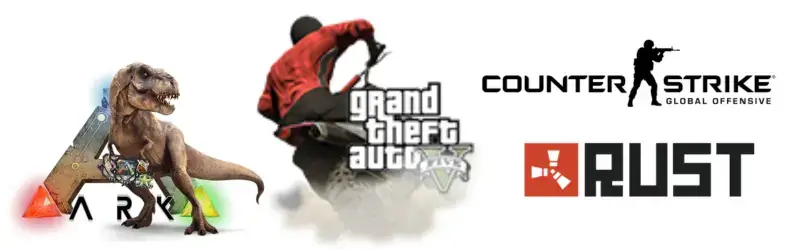
The Netherlands is suitable for hosting a wide range of multiplayer games:
- Minecraft
- Counter-Strike: Global Offensive
- Rust
- ARK Survival Evolved
- Valheim
- GTA V Roleplay Servers
Scaling Your Gaming Server
As your player base grows, you may need to upgrade your server.
Vertical Scaling
Increase CPU, RAM, or storage within the same server.
Horizontal Scaling
Use multiple servers and distribute the load.
Load Balancing
Advanced setups may include load balancers to manage traffic efficiently.
Security Best Practices
Gaming servers are often targeted by malicious attacks. Implement these practices:
Use Strong Passwords
Avoid default credentials and use complex passwords.
Enable DDoS Protection
Choose hosting environments that offer protection against traffic-based attacks.
Regular Backups
Always maintain backups of your server data to prevent loss.
Keep Software Updated
Outdated software can introduce vulnerabilities.
Advanced Enhancements
Once your server is stable, you can enhance its functionality.
Install Game Panels
Control panels like Pterodactyl simplify server management and allow easy control through a web interface.
Add Plugins and Mods
Enhance gameplay by adding custom features, maps, or modifications.
Automate Tasks
Set up cron jobs for automatic restarts, updates, or backups.
Common Mistakes to Avoid
Many beginners face issues due to small mistakes.
- Choosing insufficient resources
- Ignoring server updates
- Running everything as root
- Not securing open ports
- Overloading the server with plugins
Avoiding these mistakes ensures a smoother experience.

Future of Gaming Servers in Europe
As cloud gaming, esports, and community-driven platforms become more popular, the need for high-performance servers keeps growing. The Netherlands will still be an important place because of its infrastructure and connectivity.
Setting up your gaming server today not only gives you control, but it also lets you build communities, host tournaments, and even make money.
Conclusion
Anyone who wants to offer fast, reliable, and scalable multiplayer experiences should set up a gaming server in Netherlands. You can make a powerful gaming environment that runs smoothly if you set it up correctly, optimize it, and keep it up to date.
The process is simple as long as you follow the right steps, whether you’re starting small or planning to build a big gaming network. Every step, from picking the right server to setting it up and making it run better, is important for smooth gameplay.
Take your time to set it up right, check how it’s doing on a regular basis, and keep making it better based on what users say. When everything is set up, you’ll have a powerful gaming server that can give players in Europe and beyond the best gaming experience possible.