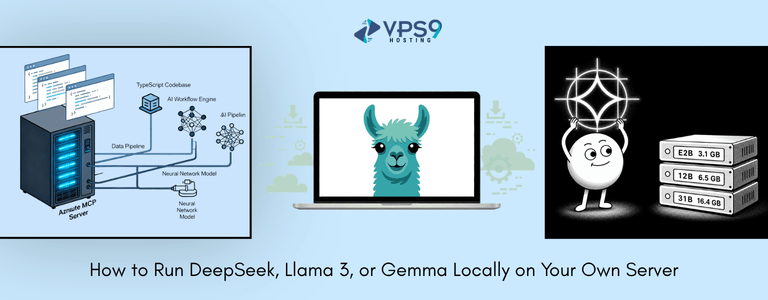
Artificial Intelligence has become an essential tool for businesses, developers, researchers, and content creators. While cloud-based AI platforms are convenient, many organizations are now choosing to run AI models locally for greater privacy, lower operational costs, faster response times, and complete control over their data.
Open-source large language models (LLMs) such as DeepSeek, Llama 3, and Gemma have made it easier than ever to deploy powerful AI capabilities without depending on third-party APIs.
If you’re wondering how to run DeepSeek locally, deploy Llama 3 on your own server, or install Gemma AI locally, this guide walks you through everything you need to know—from choosing the right hardware to installing and optimizing these models.
Why Run AI Models Locally?
Many businesses initially rely on cloud AI services, but as workloads increase, self-hosted AI becomes a more attractive option.
Some of the biggest advantages include:
- Complete control over sensitive business data
- No API request limits
- Reduced long-term AI costs
- Lower latency for applications
- Better customization options
- Offline AI capabilities
- Greater flexibility for developers
Organizations handling confidential customer information, financial records, healthcare data, or internal documentation often prefer local deployment to maintain compliance and improve security.
Understanding DeepSeek, Llama 3, and Gemma
Before installing any model, it’s helpful to understand their strengths.
DeepSeek
DeepSeek is designed to deliver strong reasoning capabilities while remaining efficient. It performs well in:
- Programming assistance
- Code generation
- Logical reasoning
- Mathematical tasks
- Technical documentation
It is particularly popular among software developers building AI-powered coding assistants.
Llama 3
Meta’s Llama 3 is one of the most widely adopted open-source language models available today.
Its strengths include:
- Natural conversation
- Content generation
- Customer support automation
- Knowledge assistants
- Research
- Business applications
Llama 3 offers excellent performance while maintaining compatibility with many AI frameworks.
Gemma
Gemma is Google’s lightweight open model family.
It is ideal for:
- Small-scale AI applications
- Edge computing
- Internal assistants
- Lightweight deployments
- Fast inference
Gemma typically requires fewer system resources compared to larger models.

Why Use Your Own Server?
Running AI models on your own infrastructure provides several practical benefits.
Better Privacy
Sensitive information never leaves your infrastructure.
This is especially valuable for:
- Legal firms
- Healthcare organizations
- Financial companies
- Government agencies
- Internal enterprise tools
Lower Long-Term Costs
Cloud AI services charge based on:
- API calls
- Tokens processed
- Monthly usage
- Storage
As usage grows, these recurring expenses can become significant.
With local deployment, you primarily invest in hardware rather than ongoing API costs.
Faster Response Times
Since requests remain within your local network or server, inference is often significantly faster than sending requests to external cloud providers.
Applications like chatbots, coding assistants, and internal search systems benefit greatly from reduced latency.
Complete Customization
Running models locally allows you to:
- Fine-tune models
- Integrate custom datasets
- Build internal AI tools
- Modify inference settings
- Control updates
Hardware Requirements
The hardware you need depends on the model size you intend to run.
Entry-Level Setup
Suitable for smaller models (2B–7B)
- 8-core CPU
- 32GB RAM
- 100GB SSD
- NVIDIA GPU with 8–12GB VRAM (recommended)
Mid-Level Server
Suitable for 7B–13B models
- 12–16 CPU cores
- 64GB RAM
- NVMe SSD
- NVIDIA GPU with 24GB VRAM
High-End AI Server
Ideal for larger models
- Multiple GPUs
- 128GB+ RAM
- High-speed NVMe storage
- High-bandwidth networking
Large language models benefit significantly from GPU acceleration.
Choosing the Right Operating System
Linux remains the preferred choice for AI workloads.
Popular options include:
- Ubuntu Server
- Debian
- Rocky Linux
- AlmaLinux
Linux provides better compatibility with CUDA, Docker, Python, and AI frameworks.
Install Docker
Containerization simplifies AI deployments.
Install Docker:
sudo apt update
sudo apt install docker.io
Enable Docker:
sudo systemctl enable docker
sudo systemctl start docker
Docker helps isolate dependencies while making deployments more manageable.
Install Ollama
One of the easiest ways to run open-source AI models is through Ollama.
Install it using:
curl -fsSL https://ollama.com/install.sh | shVerify installation:
ollama --versionOllama automatically manages model downloads and inference.
Running DeepSeek Locally
Download the model:
ollama run deepseek-r1The first execution downloads the model.
Once completed, you can immediately start chatting with it through the terminal.
Running Llama 3 Locally
Install Llama 3:
ollama run llama3Ollama downloads the necessary files automatically.
After installation, the model is ready for local inference.
Running Gemma Locally
Download Gemma:
ollama run gemmaOnce downloaded, Gemma can process prompts without requiring internet connectivity.
Managing Multiple Models
You can install several models simultaneously.
View installed models:
ollama listRemove unused models:
ollama rm model-nameThis helps conserve storage space while maintaining an organized AI environment.
Using GPU Acceleration
Running inference on CPUs is possible but slower.
GPU acceleration offers:
- Faster responses
- Larger context windows
- Better concurrent performance
- Reduced processing time
NVIDIA GPUs generally provide the best compatibility with popular AI frameworks.
Integrating AI with Your Applications
Local AI models can power numerous business solutions.
Examples include:
Customer Support
Deploy internal chatbots that answer customer queries without relying on external APIs.
Code Assistant
Develop coding assistants capable of generating code, explaining bugs, and reviewing software projects.
Document Search
Create AI-powered search tools for PDFs, manuals, policies, and internal documentation.
Content Generation
Generate blogs, emails, product descriptions, and marketing copy while maintaining full control over sensitive information.
Internal Knowledge Base
Train AI assistants using company documentation to help employees quickly retrieve information.
Security Best Practices
Running AI locally still requires proper server security.
Consider these recommendations:
- Keep the operating system updated
- Restrict SSH access
- Enable firewalls
- Use strong authentication
- Encrypt sensitive storage
- Monitor resource usage
- Regularly update AI models
A secure environment protects both your infrastructure and your AI workloads.
Performance Optimization Tips
To maximize AI performance:
- Use NVMe SSDs instead of HDDs
- Allocate sufficient RAM
- Enable GPU acceleration
- Keep background services minimal
- Use quantized model versions when resources are limited
- Monitor CPU, GPU, and memory utilization
Proper optimization results in faster inference and a smoother user experience.
Common Challenges
Insufficient RAM
Large models may fail to load if system memory is inadequate.
Limited GPU Memory
Reduce model size or use quantized versions to lower VRAM requirements.
Slow Performance
Running large models solely on CPUs significantly increases inference time.
Storage Constraints
Some AI models require tens of gigabytes of disk space.
Plan storage capacity before deployment.

Which Model Should You Choose?
Your ideal choice depends on your use case.
| Model | Best For |
|---|---|
| DeepSeek | Programming, reasoning, technical tasks |
| Llama 3 | General-purpose AI, chatbots, content generation |
| Gemma | Lightweight deployments, edge AI, efficient inference |
If you’re building customer-facing AI applications, Llama 3 offers excellent versatility.
Developers focused on coding assistance often prefer DeepSeek.
For lightweight servers or limited hardware, Gemma is an efficient option.
Future of Self-Hosted AI
Open-source AI continues to evolve rapidly, making self-hosted deployments more practical than ever. Businesses increasingly seek solutions that provide greater privacy, lower operational costs, and flexibility without depending entirely on cloud-based APIs.
As hardware becomes more affordable and optimization techniques improve, running advanced language models locally is likely to become a standard approach for organizations of all sizes. Whether you’re building internal tools, AI-powered customer support, coding assistants, or document analysis systems, hosting models like DeepSeek, Llama 3, or Gemma on your own server gives you the freedom to innovate while maintaining full control over your infrastructure and data.
Conclusion
Running DeepSeek, Llama 3, or Gemma locally gives businesses and developers greater ownership of their AI infrastructure. From enhanced privacy and lower long-term costs to improved performance and customization, self-hosting open-source language models offers significant advantages over relying solely on cloud services.
By selecting the right hardware, using tools like Ollama, enabling GPU acceleration, and following server security best practices, you can build a reliable AI environment tailored to your specific needs. As open-source AI continues to advance, deploying models on your own server is becoming an increasingly practical and scalable solution for modern applications.