Introduction
Servers are integral to modern digital operations. Whether you operate an e-commerce site or SaaS platform, or you are managing business internal systems, your servers must remain fast, secure, and accessible. However, even the most solid systems and infrastructures will face issues, and when something goes down, it can affect your entire business.
Issues can be technical, time-consuming, and expensive, ranging from slow load times to security breaches. Managed server service is a solution that can take the pressure off internal teams, allowing them to work on other business projects, while ensuring that the servers are maintained, monitored, secured, and optimized.
Let’s take a look at the common server challenges faced by businesses and how managed services solve these issues.
Understanding Server Infrastructure
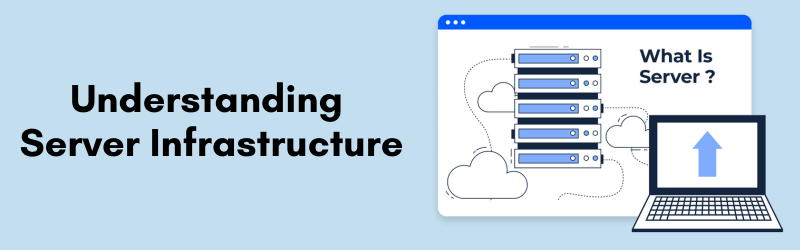
A “server” is a dedicated system that provides various services, including websites, applications, files, and databases. A server can be physical, virtual, or cloud based with different configurations and responsibilities for each type.
Servers require careful planning, regular updates, and continuous monitoring because they will be expected to work continuously, receive a high volume of traffic, and provide service to multiple users (clients). Generally, even a small mistake in configuration or maintenance can lead to performance degradation, or system failure.
Common Server Issues
Hardware Failures
Hardware failure is one of the most severe issues that can disrupt a service. A malfunctioning power supply or a failed hard drive can bring the entire system down with it. Usually, this type of failure also includes losing a lot of data. Equipment failures can occur due to overheating, power surges or spikes, normal wear and tear, or defects in materials or workmanship. If you are operating without real-time monitoring or redundancy, a hardware crash can result in a long recovery time and very unhappy customers.
Software Conflicts
Servers are known for executing many software applications, scripts, and operating systems at once. Conflicts can occur when the software implementations are incompatible, or when upgrades are applied inappropriately. Symptoms consist of system crashes, severed services, and application-level bugs. Resolving these issues manually can be tedious if you do not know what state is on the server.
Network Downtime
Another significant issue is network downtime, which can occur as a result of an IP conflict, DNS issues, firewall misconfigurations, or even an external attack. In a situation where a server is completely unreachable on the internet or internal network, the business may cease operation altogether. Just a few minutes of downtime can result in loss of revenue, a tarnished reputation, and unhappy users.
Security Breaches
Today, servers are under constant threat from hackers and cyber-attackers, and it can be a simple and inefficient practice to harden servers or networks from daily cyber-threats. Common vulnerabilities include open ports; outdated software; weak login credentials; firewalls; and lack of intrusion detection. Potential hacks can be read or stolen information; unauthorized access; and installing malware to your server or direct access to clients’ information (or clients’ systems). It only gets worse if the hack attacker is not remediated quickly, or it can be disastrous, and it can even mean they can face legal repercussions.
Performance Bottlenecks
Servers can experience slowdowns after a certain period of time due to a variety of reasons like overloaded CPUs, memory leaks, or high disc usage. This would result in web applications providing sluggish response times or crashing altogether when traffic is high. Once user experience declines, customer trust diminishes. In an e-commerce or subscription based environment, poor performance can have an immediate impact on conversion rates and user retention.
Backup Failures
Too often, backup systems are overlooked until disaster strikes. Failed backups, whether because of misconfigurations, storage limits, or inadequate automation, can cause irrecoverable data loss. In data critical environments, like healthcare, finance, and e-Learning, losing even one day’s worth of information can be devastating.
Configuration Errors
Manual misconfigurations are among the top causes of a server crash, a simple error in a DNS setting or a permissions may cause the whole system to become unusable. Configuration files may be different on Linux, Windows, and other environments as well. A business without an expert on hand is more likely to struggle in repairs.

Why Businesses Struggle with Server Problems
Many companies, especially small and medium size companies do not have IT professionals on staff. Many that do, assign the server responsibilities to a stretched-thin generalist who may or may not have enough knowledge about servers. So even if a company has an IT person, the server incidents that occur are most often addressed in a reactive manner rather than a proactive approach.
Troubleshooting also involves time, the right access to diagnostic tools, and the knowledge of multiple operating systems, hardware pieces, and security protocols. A simple issue could escalate into a catastrophe if an employee or owner is missing this knowledge base. Not having documentation or system logs makes any attempt to recover very difficult.
Time is also a factor. Business owners or IT managers or personnel cannot just sit and watch their systems all of the time. When there is an issue at a late hour of the evening, a holiday or weekend with high traffic, the slow 1-2 hour delay in a response can result in considerable inconvenience to a company’s operation
How Professional Server Management Services Help
Professional server management services take a methodical approach to maintaining server health and reliability.
They provide 24/7 monitoring, so if an issue arises—a traffic spike or a memory leak, for example—you will get early warning. They will perform periodic maintenance on the operating system (OS), install patches, and routinely clean disks and others before a disruption or downtime happens. For example, they may map your performance statistics to server load in order to allocate resources properly, so you don’t have to worry about slow speeds, processing errors, or downtime.
When it comes to security, professional server management provides: implementing firewalls, keeping antivirus up to date, conducting vulnerability scans and reporting vulnerabilities (e.g., unpatched vulnerabilities), in order to reduce a breach of service and potential downtime.
They also conduct automated backups and test disaster recovery plans, to restore quickly when failures occur. Most importantly, your business benefits with access to professional engineers, managing an array of environments and support as you grow with reliable, scalable, and reliable infrastructures.
In-House vs. Managed Services.
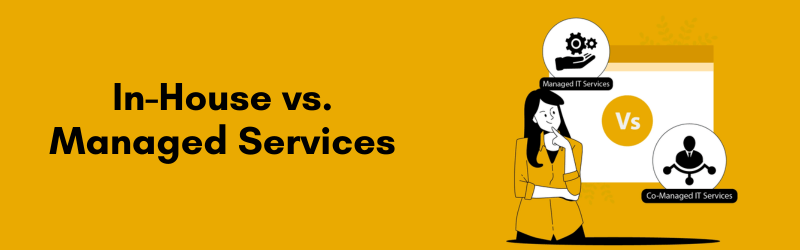
Relying entirely on an internal team to manage the server can be expensive and inefficient. Salaries, training time, tools, and the time spent in maintenance all add up. Beyond the expense of an in-house team, usually an in-house team is only available during business hours, leaving systems vulnerable overnight or over weekends.
Managed service providers come with 24/7 support from a team of specialists for a fraction of the cost. They use tools and practices that meet industry standards and they remain continually updated on the latest security threats and optimizations. This enables businesses to prevent future problems instead of constantly reacting to the issues.
Managed services are also ultimately a better fit for a growing business. Managed services provide the flexibility and scalability needed to meet changing server expectations. When the server grows or it comes time to change configurations, managed providers can rapidly scale infrastructure and change configurations without the large internal transition.
Real-World Example
Let’s take a real-life example of a rapidly growing SaaS startup that had frequent outages during product launches. Their in-house team spent many hours troubleshooting with no actionable responses, resulting in multiple hours of downtime, pending angry users and missed revenue.
They hired a professional server management company right away, and with the immediate implementation of load balancing to manage traffic, automated backups, and a security audit over the server architecture, results started changing.
Within a three month period, uptime increased from 93% to 99.98%, and performance was enhanced, and all downtime complaints vanished. The startup could now continue to scale their product without worrying about the infrastructure.
Conclusion
Server problems are inevitable in any business environment. However, how you respond — and more importantly, how you prevent them — determines the real impact on your organization. Hardware failures, software issues, security threats, and performance lags are not just technical problems; they are business risks.
Professional server management services turn these risks into manageable challenges. With their proactive monitoring, expert support, and strategic planning, businesses can stay online, stay secure, and stay competitive. By outsourcing server responsibilities, organizations free up internal resources, reduce costs, and gain peace of mind knowing that their infrastructure is in expert hands.
If your business depends on uninterrupted server performance, it might be time to consider managed services not just as a safety net, but as a long-term partner for growth and reliability.