Introduction
WordPress powers more than 43% of all websites because of its flexibility, usability, and extensive ecosystem of themes. With thousands of free and paid themes to choose from, it can be fun (and tempting!) to change your theme for a fresh new look. However, one of the biggest concerns of website owners and marketers is: will changing my WordPress theme impact my SEO?
The short answer: yes, it can. However, if the impact is positive, negative, or neutral depends on how the transition is made. In this blog, we will discuss how themes can affect your website’s SEO, what risks to be aware of, and how to go about making the change safely.
The Connection Between WordPress Themes and SEO
Fundamentally, a WordPress theme controls how your website looks to visitors. But beyond its front-facing purpose, it determines how the content is structured in HTML, the load time of your website, the functionality on different mobile screen sizes, and how easily the search engines can crawl your HTML.
When thinking about themes, think about more than looks; the theme will dictate your heading tag structure, whether the breadcrumb is structured correctly, whether anything is even done to implement meta tags, schema markup, etc. A great theme can support your SEO efforts, especially if it is coded conformity lightweight, with the proper support for the key SEO plugins. Conversely, a heavy or poorly designed theme can have damaging effects on your ranking even if you have dynamic content that is well-optimized.
Which SEO Elements Can Be Affected by a Theme Change?
Let’s dive into the specific SEO elements that a theme change might impact:
- Site Speed
- Mobile Responsiveness
- Structured Data (Schema Markup)
- HTML Structure and Headings
- Navigation and Internal Linking
- Plugins Compatibility
- Image Optimization and Lazy Loading
Various themes load different scripts, fonts, and styles. A heavy theme, or one that is poorly optimized can slow your site down and site speed is actually a ranking factor.
Google has adopted mobile-first indexing. If your new theme isn’t responsive or has mobile display issues, your rankings can decline.
Some themes come with built-in schema markup for rich snippets, reviews, breadcrumbs, etc. If you change to a theme that lacks these attributes, it could have an impact on your rich results visibility.
The structural elements of HTML (i.e,) matter to search engines. A theme that uses headers incorrectly could impact the relevance of your content / indexing.
As themes sometimes change your site’s menu and sidebar, footer links, and breadcrumb links, a site with navigation issues or broken internal links can affect crawlability and search engine optimization.
SEO plugins use hooks or functions from certain themes. A theme or template that creates compatibility issues with your SEO plugin may negatively impact your SEO configuration.
Different themes handle images differently. Switching themes to a theme that has less image optimization, or doesn’t implement lazy load could affect performance.
Potential Risks When Changing Your Theme
If you change your theme without being prepared, you are opening your site to a number of SEO-related risks. You could lose traffic due to slower loading times, and you could have indexing problems if important pages are no longer easily accessible.
Broken internal links, for example, is a common issue after changing themes. This is especially true if you remove old page templates or custom post types, thereby making those internal links no longer point to anything. Any associated plugins, if there are any, certainly could behave differently. A theme that is not compatible with a plugin can cause problems (even multiple plugin incompatibilities can cause issues). Similarly, plugins for SEO could behave a little differently, especially if a theme is using file and code standards that they duplicate, override, or aren’t using the same functions and methods.
Some themes interact with the settings of the SEO plugin, whereby defaults for SEO (meta tags) may modify the display of products into duplicate or missing meta tags. This won’t simply confuse search engines (google bot) into indexing issues or making multiple products cannibalize keywords, they could get the rest of your product set incorrect in addition to tags being in a poor state.
In the end, there is a lot customizations to change to, including other trackers like:
- – json scripts
- – social media tags (og tags)
- – google analytics snippets etc
If your old setting styles were changed, those links may impact your ability to collect data and track performance as intended.
How to Change a WordPress Theme Without Losing SEO
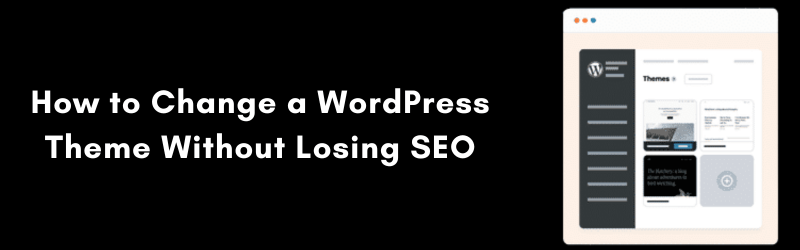
When you are ready, you can activate your theme change- but with caution. Activate the new theme in your staging environment, and check to see how the new theme renders your pages and posts. Look for missing widgets, incorrect header tags, and other display issues with content or images.
You will also need to check your navigation. Menus and sidebars will almost always need to be repositioned. Revisit and check your internal links to be sure they are still present, functioning, and any custom links you made on the old theme are added again.
Make sure to retain all the critical SEO features. If you had installed some sort of schema markup with the previous theme, you may need to download a plugin after switching to bring that SEO feature back. A similar process will be needed if your switched theme had social share features, open graph tags, and certain twitter cards, etc.
Finally, when you have a new theme that you believe is SEO compliant, go live- but immediately crawl your website to see if you created any technical errors during the switch. You can use tools such as Screaming Frog or Sitebulb to assist in detecting any issues that may have cropped up during the theme change.
How a Theme Change Can Improve SEO
Changing a theme does not always cause issues. In fact, if it is done properly, changing a theme can actually improve your SEO performance quite a bit.
If you are changing from an outdated or poorly coded theme to a lightweight, responsive theme, that is good for SEO. The code speed will become more efficient; load speeds will improve; bounce rates will decrease, and a better experience for mobile users is created. All of these examples improve rankings and increase user interactions.
Most newer themes will also incorporate some level of support for Core Web Vitals, a designed set of performance indicators that Google employs to facilitate better ranking algorithms. A theme with clean, optimized code, reduced CSS and Javascript, and an established method for dealing with images is beneficial.
If previously you started a theme that did not include schema or accessibility components, just having the correct html5 structure now could display your pages in a better way in SERPs moving forward.
Conclusion
Changing your WordPress theme isn’t only a design decision it is also a technical decision that has a strategic implication regarding your SEO. Your theme affects everything; page structure, load time, internal linking, crawlability, etc.
But, by preparing properly, testing thoroughly, and monitoring closely after going live, you can take a leap of faith to switch themes without harming and possibly improving your SEO health.
If you are upgrading to a better-coded, faster, more modern theme, the change may be just what you need to help your site move up in search engine rankings.